


DIY Learning for Makers: Electronics, Mechanics, and Automation at Home
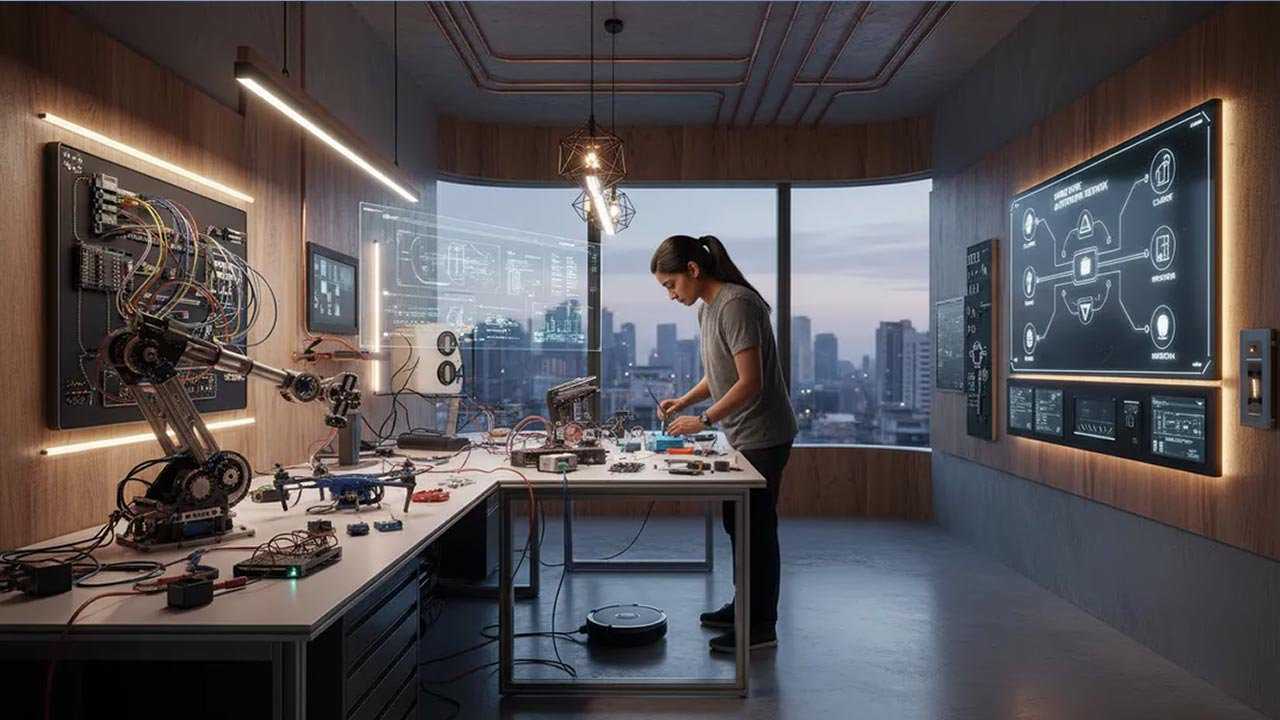
Learning by building has never been more accessible. DIY learning for makers blends curiosity, hands-on experimentation, and modern tools to turn a home into a personal innovation lab. By combining basic electronics, practical mechanics, and approachable automation, you can develop real technical skill, strong problem-solving habits, and the kind of systems thinking used in professional product teams and industrial environments.
Table of Contents
- Foundations of DIY Learning for Makers
- Electronics at Home: From Theory to Working Circuits
- Mechanical Skills: Motion, Structures, and Reliability
- Automation at Home: Sensors, Control, and Smart Systems
- Build a Sustainable DIY Learning System
- Essential Tools and Platforms for Makers
- Top 5 Frequently Asked Questions
- Final Thoughts
- Resources
Foundations of DIY Learning for Makers
DIY learning works because it turns knowledge into something you can see, touch, measure, and improve. Instead of memorizing concepts in isolation, you connect them to outcomes: an LED that dims smoothly, a motor that stops precisely, a sensor that triggers a response at the right moment. Those outcomes create immediate feedback, and feedback is the engine of skill growth.
From an Innovation and Technology Management viewpoint, the maker approach resembles modern product development. You define a goal, build a small prototype, test it, learn what failed, and iterate. That is essentially a home-scale version of lean experimentation. The advantage is speed: you can run multiple learning cycles in a week without waiting for a class schedule, a lab slot, or approval chains. The limitation is structure: without a plan, you can end up collecting parts and half-finishing projects.
The maker mindset and how people actually learn by building
DIY learning is strongest when you treat mistakes as data rather than personal failure. A short circuit, a wobbly mechanism, or a glitchy automation routine is not a dead end. It is a clear signal that a specific assumption was wrong. Makers who progress quickly do two things consistently: they isolate variables and they keep projects small enough to finish.
A useful mental model is the learning ladder. Each project should add one new skill while reusing most of what you already know. If everything is new at once, debugging becomes a fog. If nothing is new, you plateau. The sweet spot is one stretch goal per build.
Why systems thinking matters at home
Electronics, mechanics, and automation are not separate silos in real products. They are subsystems that trade constraints. A motor choice impacts your power supply. A gear ratio impacts torque, speed, and noise. A sensor choice impacts code complexity and reliability. When you practice systems thinking at home, you start designing like a product engineer: making trade-offs intentionally.
A simple rule helps: define the interfaces. In a home project, an interface might be the connector between a sensor and a controller, the mount between a motor and a frame, or the logic boundary between read input and actuate output. Clear interfaces make upgrades easier and failures easier to diagnose.
Safety basics that prevent costly mistakes
Most home maker incidents come from ignoring a few predictable hazards. Treat power respectfully. For beginners, stay in low-voltage DC systems (commonly 3.3V, 5V, 12V, or 24V) until you’re confident with fundamentals. Avoid mains-voltage projects unless you truly understand isolation, grounding, fusing, and enclosure requirements.
Mechanical safety is just as real: spinning tools, pinch points, and sharp edges can hurt you quickly. Wear eye protection when cutting, drilling, or grinding. Clamp workpieces instead of holding them. Keep hair and loose clothing away from rotating shafts. And design automation with a safe state so a failure does not cause runaway motion or overheating.
Electronics at Home: From Theory to Working Circuits
Electronics is often the best starting domain because it provides fast feedback and low material cost. You can learn the core ideas with a breadboard, jumper wires, a resistor kit, and a microcontroller. The goal is not to become a circuit theorist overnight. The goal is to become someone who can build, measure, debug, and iterate.
If you learn electronics through projects, you’ll naturally absorb key concepts like voltage, current, resistance, polarity, and signal behavior. Better yet, you’ll learn what matters in practice: stable power, solid connections, noise, and the reality that components have tolerances.
Starter path: power, signals, and breadboards
Begin with three building blocks:
- Power: how to deliver the right voltage and enough current without overheating or resetting your controller.
- Signals: how information moves as digital HIGH/LOW states or analog ranges.
- Loads: how devices like LEDs, buzzers, motors, and relays actually draw power and create side effects.
A breadboard is perfect for early exploration because it encourages iteration. The trade-off is reliability: loose wires create intermittent bugs that look like code problems. As you gain confidence, move finished projects to soldered perfboard or simple PCBs so your time goes into learning, not re-seating jumpers.
Measuring and debugging with simple instruments
A multimeter is your most valuable electronics tool. It helps you answer the questions that matter:
- Is the power rail actually 5V (or 3.3V) under load?
- Is this wire connected to the pin I think it is?
- Is this resistor value correct?
As your projects grow, an inexpensive logic analyzer or oscilloscope becomes useful, especially for timing-sensitive protocols or motor control. But do not delay building because you do not have advanced instruments.
High-learning-value electronics projects
These projects teach the most per hour because they introduce real constraints while staying manageable:
- LED dimmer with a knob: teaches PWM, analog input, and stable power.
- Temperature logger: teaches sensors, calibration, and data handling.
- Door/contact sensor: teaches pull-up resistors, debouncing, and reliability.
- Basic motor driver: teaches transistors or MOSFETs, flyback diodes, and load behavior.
Each one can be completed in a weekend, and each one becomes a reusable module for future automation builds.
Mechanical Skills: Motion, Structures, and Reliability
Mechanical learning gives your projects physical reality: movement, structure, alignment, and durability. It also teaches constraints that purely digital learners often miss, such as friction, backlash, vibration, and wear.
Mechanical projects can look intimidating, but the basics scale well at home. Start by building small mechanisms, then learn to make them reliable, then learn to make them repeatable.
Motion fundamentals: gears, linkages, and torque
If you want motion, you need to understand torque and leverage. Small motors spin fast with limited torque. Gear reduction trades speed for force. Belts trade simplicity for slip and tension management. Linkages convert rotary motion into linear motion but introduce alignment requirements.
A practical learning approach is to build a simple actuator system:
- Pick a motor (DC motor, stepper, or servo).
- Choose a transmission (direct drive, gears, belt, lead screw).
- Build a frame that holds alignment.
- Measure what fails: heat, noise, wobble, or insufficient force.
Materials and fasteners: choosing what works
Home makers commonly use wood, plastics, and aluminum because they are affordable and forgiving. Each has trade-offs:
- Wood: easy to work, stable enough for many builds, but sensitive to humidity and not ideal for precision motion.
- Plastics: great for enclosures and light loads, but can creep under stress and deform under heat.
- Aluminum: strong and light, great for frames, but needs better tools for clean fabrication.
Fasteners are part of design, not afterthought. Screws loosen under vibration. Threaded inserts can strengthen plastic parts. Lock washers, nylon lock nuts, and threadlocker improve reliability.
At-home fabrication: hand tools, 3D printing, and jigs
You can go far with basic hand tools: a drill, bits, a saw, files, a square, clamps, and a caliper. The caliper matters because measuring turns guessing into engineering.
3D printing enables rapid iteration. Print parts that solve real problems: brackets, sensor mounts, cable guides, and enclosures. Jigs improve repeatability and reduce frustration.
Automation at Home: Sensors, Control, and Smart Systems
Automation combines the intelligence of electronics with the physical outcomes of mechanics. It introduces closed-loop systems: sense, decide, act, verify. Home automation becomes valuable when it is reliable, not just clever.
Control loops and decision logic without the math overload
Start with simple patterns:
- Threshold control: if a value is above X, do Y.
- Hysteresis: use two thresholds to stop rapid toggling.
- Timed control: run for N seconds, then re-check.
- State machines: explicit modes like IDLE, RUNNING, ERROR, RECOVERY.
Networking basics: how devices talk to each other
Once automation grows beyond a single box, devices need to communicate. You should understand:
- Local control vs cloud control: local keeps working during outages.
- Protocols: MQTT for lightweight messaging, HTTP for requests, BLE for short range.
- Security basics: change default passwords, avoid exposing devices to the public internet.
Reliability and fail-safe design for home automation
Use reliability practices:
- Watchdogs and timeouts: recover from freezes.
- Default safe states: prefer the least risky outcome.
- Physical overrides: manual switches for recovery.
- Power planning: isolate logic power from noisy loads when possible.
Build a Sustainable DIY Learning System
Consistency beats intensity. Aim for small finished projects that compound into larger capability.
A simple curriculum that compounds skills
- Electronics fundamentals: LEDs, buttons, resistors, stable power.
- Sensors and data: temperature, light, motion, logging.
- Actuators: relays, DC motors, servos, steppers, drivers.
- Mechanisms: mounts, frames, linkages, alignment.
- Automation logic: hysteresis, state machines, fail-safes.
- Networking: local messaging, dashboards, monitoring.
Documentation habits that accelerate progress
Keep a lightweight lab notebook:
- Goal
- Parts list
- Wiring and layout notes
- Code and configuration
- Failures and fixes
- Next iteration
Budgeting and tool strategy: buy less, learn more
Spend based on project needs:
- Buy tools when a project demands them.
- Prefer reusable modules and standard parts.
- Invest early in measurement tools to reduce wasted time.
Essential Tools and Platforms for Makers
A balanced toolkit covers 80% of needs with a few reliable tools.
Core tools for electronics, mechanics, and automation
- Electronics: multimeter, soldering iron, wire stripper, breadboard, resistor kit.
- Mechanics: drill, clamps, square, caliper, files, driver set.
- Automation: microcontroller, sensors, motor drivers, relays, stable power supplies.
Software stack: CAD, code, and version control
Use software to multiply output:
- CAD for parts and enclosures
- Firmware for sensor reading and actuation
- Version control to track working builds
Communities and learning sources that actually help
Look for sources that show complete builds, include wiring diagrams, and explain failures. When asking for help, include photos, a schematic, and symptoms.
Top 5 Frequently Asked Questions
Final Thoughts
DIY learning for makers is a practical route to innovation capability: the ability to move from idea to prototype to reliable system. Electronics teaches sensing and control. Mechanics teaches motion and durability. Automation ties them together into systems that behave predictably.
The most important takeaway is that progress comes from finishing small projects that compound. If you build a learning ladder, document what you do, and treat failures as data, your home can become a serious lab for electronics, mechanics, and automation.






Leave A Comment